Iryna Kostiuk
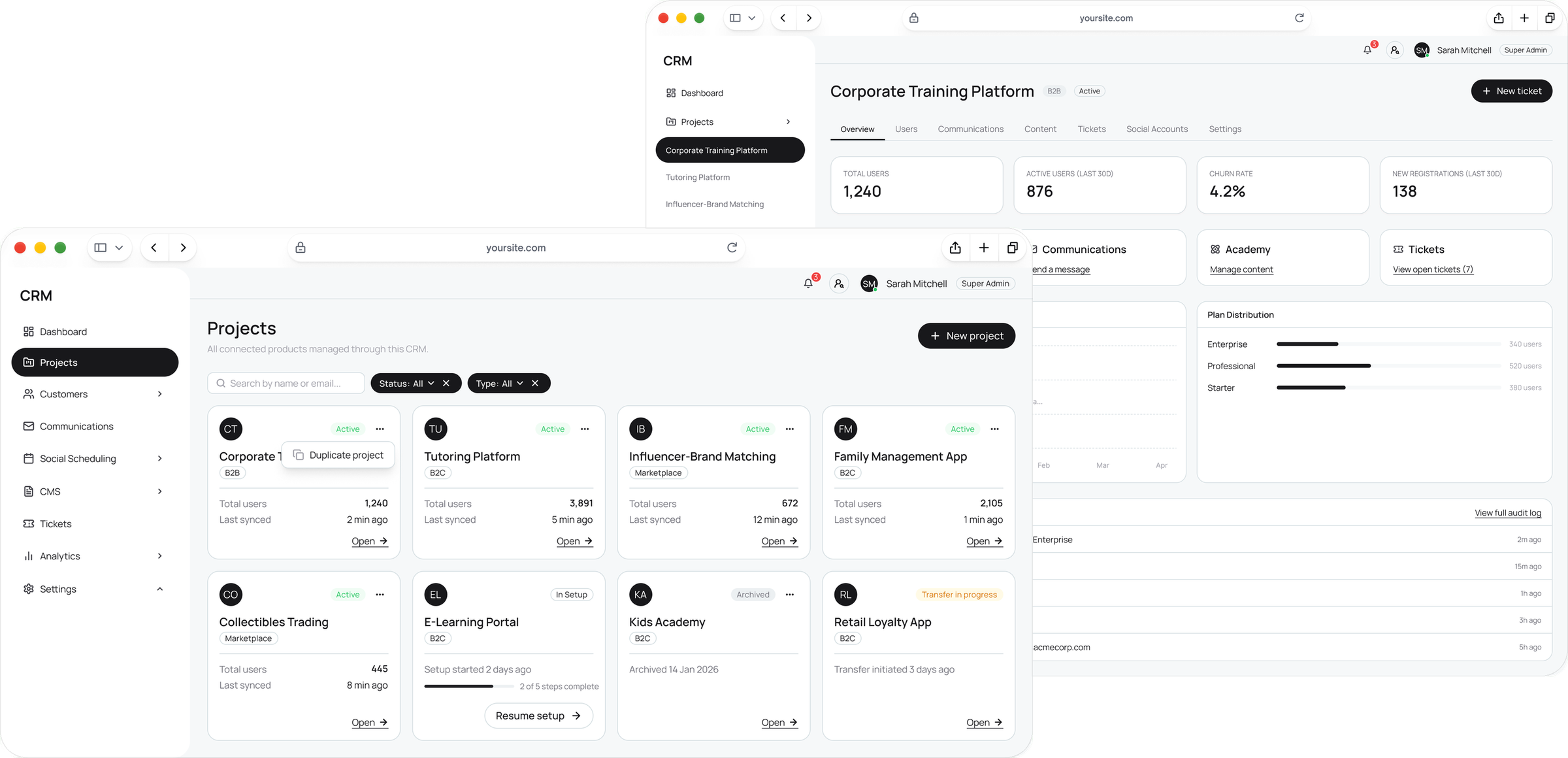
All projects list and the overview of one project in Master CRM
Five products in one list, and the overview of one of them.
Challenge

Five admin panels to solve one customer issue.

Each of the 5 products had its own admin panel, so support switched tools for every request.Nobody saw the business as a whole: churn, payments and product health lived in different places.7 roles needed different access in every product, set on 3 levels — role, project, single user — and new products had to plug in without code.
Process
1

Research: no single place to see or contact a customer

I turned the PRD and stakeholder interviews into a v1 scope, and looked at how Pipedrive, PeopleForce, Contentful and Customer.io handle customers, content and permissions.

Key findingsNo single customer view across productsSupport without shared notes, history or ticketsNo portfolio view of churn, payments or product health
2

Rules before screens: 7 roles across 21 modules

Before any UI I mapped who can see and do what in every module — including the awkward cases, like one person in two products or a Support Agent who must not touch billing.
DecisionProduct is a filter, not a section. One customer base; the product narrows the view instead of splitting it.
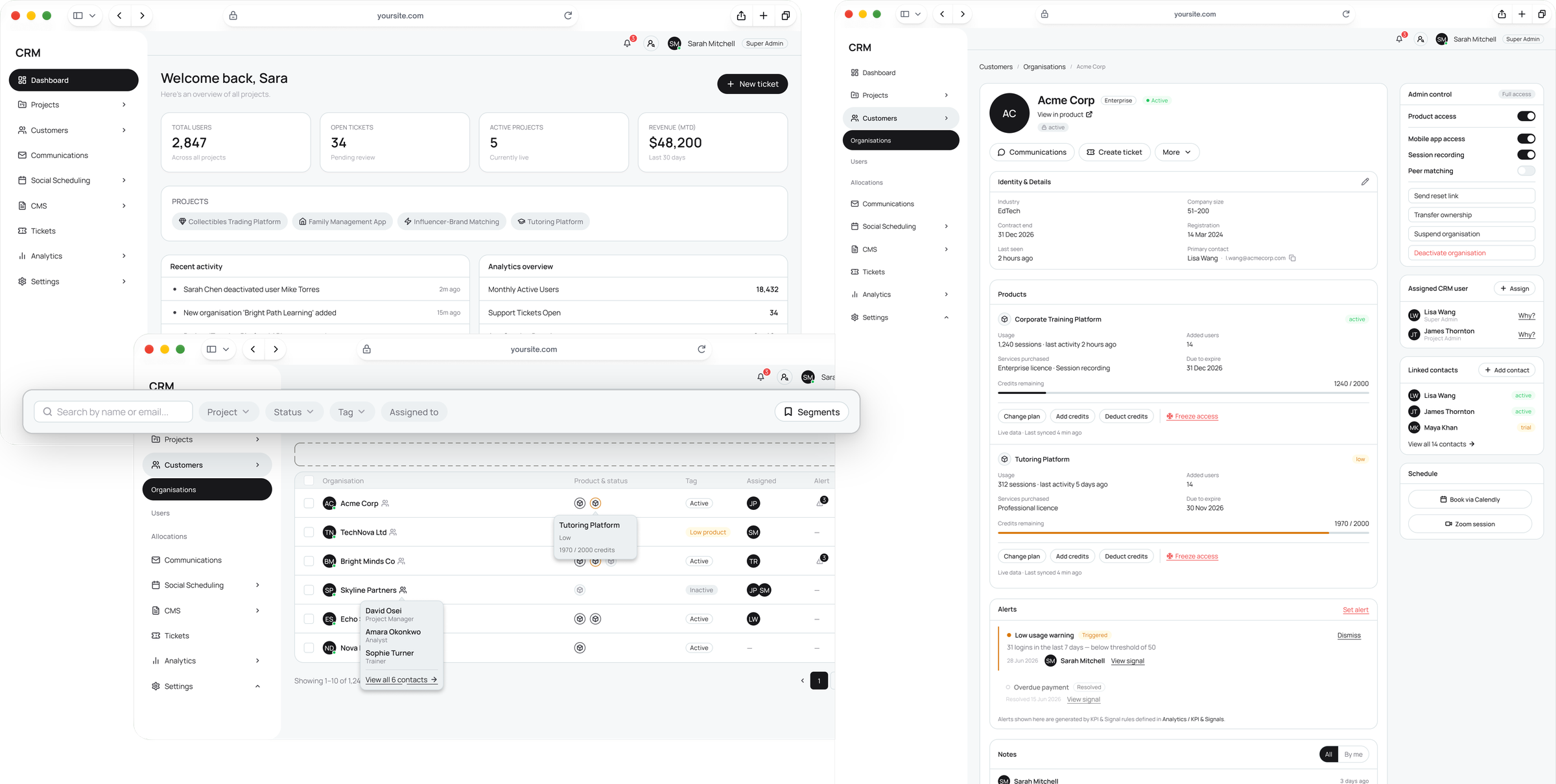
Master CRM dashboard, all organisations list with filters, and an organisation profile
The dashboard, every organisation in one list, and one organisation’s profile.
3

Check the idea while it’s cheap: quick variants, strict reviews

For every module I wrote a UX analysis, generated quick screen variants in Banani and reviewed each round against it — critical, desirable, minor. Open questions went to the client in a shared sheet. Only approved flows moved into Figma and the design system.

ApproachMost modules took 3–9 rounds. Being wrong in round two cost minutes, not a sprint.
The hardest decision · permissions

Every permission shows where it comes from

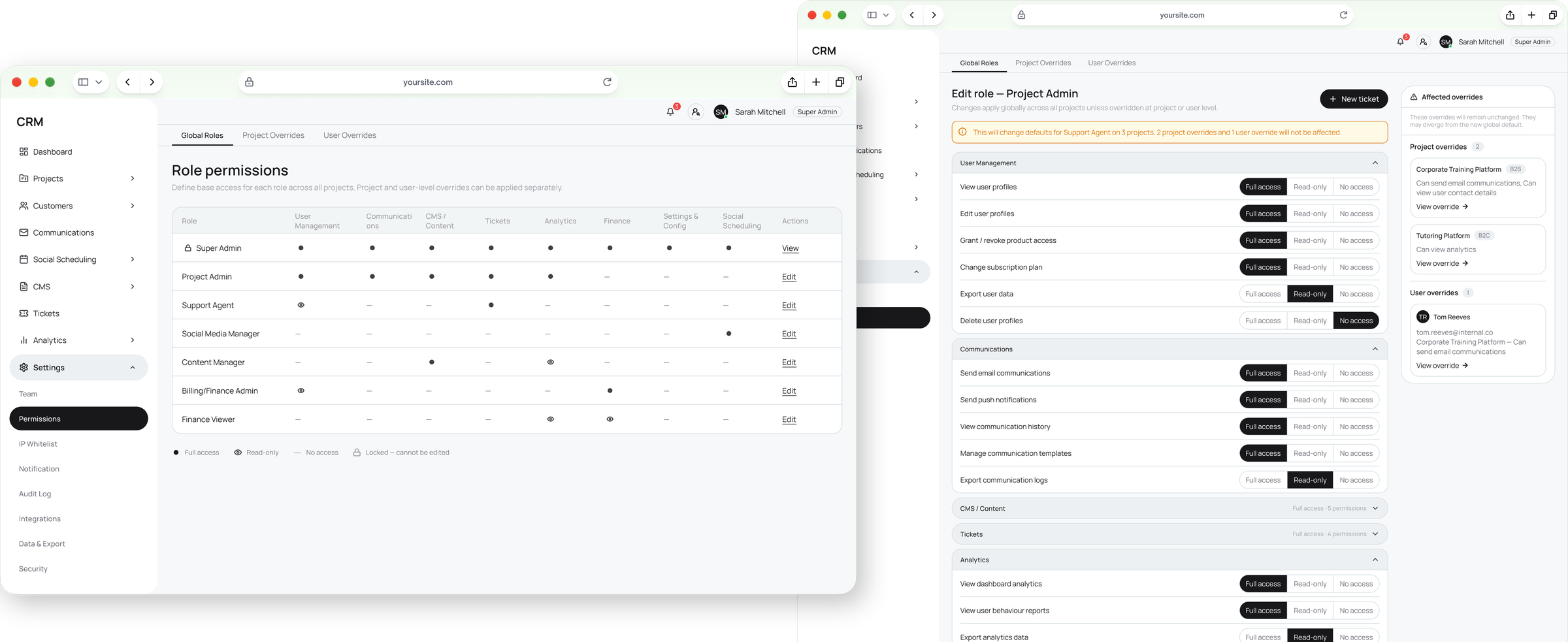
Of all the rules, access was the hardest. It works on three levels — role, project, user — and admins were losing track of why someone could or couldn’t see something. I kept all three levels and added a resolved view: the final access and its source. Conflicts are flagged before saving; editing a role shows which overrides it affects.
Trade-offA more complex settings screen — instead of “why can’t I see this?”
Role permissions matrix, and editing a role with the list of overrides the change affects
The role matrix, and editing a role: the overrides it affects are listed on the side.
Prototype: a user override that conflicts with the project rule, from the resolved view to the save confirmation.
Results

One platform instead of five, ready to build.

21 modules and 450+ screens on one design system, handed off with every state and the logic behind it. The real effect will show after launch; this is what it’s built to change:
Expected impact · to be measured after launch
SupportOne customer profile instead of five panels.
New productsA setup wizard instead of a dev cycle.
AccessEvery permission explains itself.
PaymentsUnpaid accounts freeze automatically.
Learnings
01Design the rules before the screens. The role model shaped every module after it.
02Make complex logic visible. A permission that explains itself is easier to trust than a simple one nobody understands.
03Cheap variants, strict reviews. AI brings options and volume; deciding what stays is the design work.
Next case